For teachers
Reuse old worksheets, quizzes, and formula-heavy handouts without rebuilding every equation from scratch.
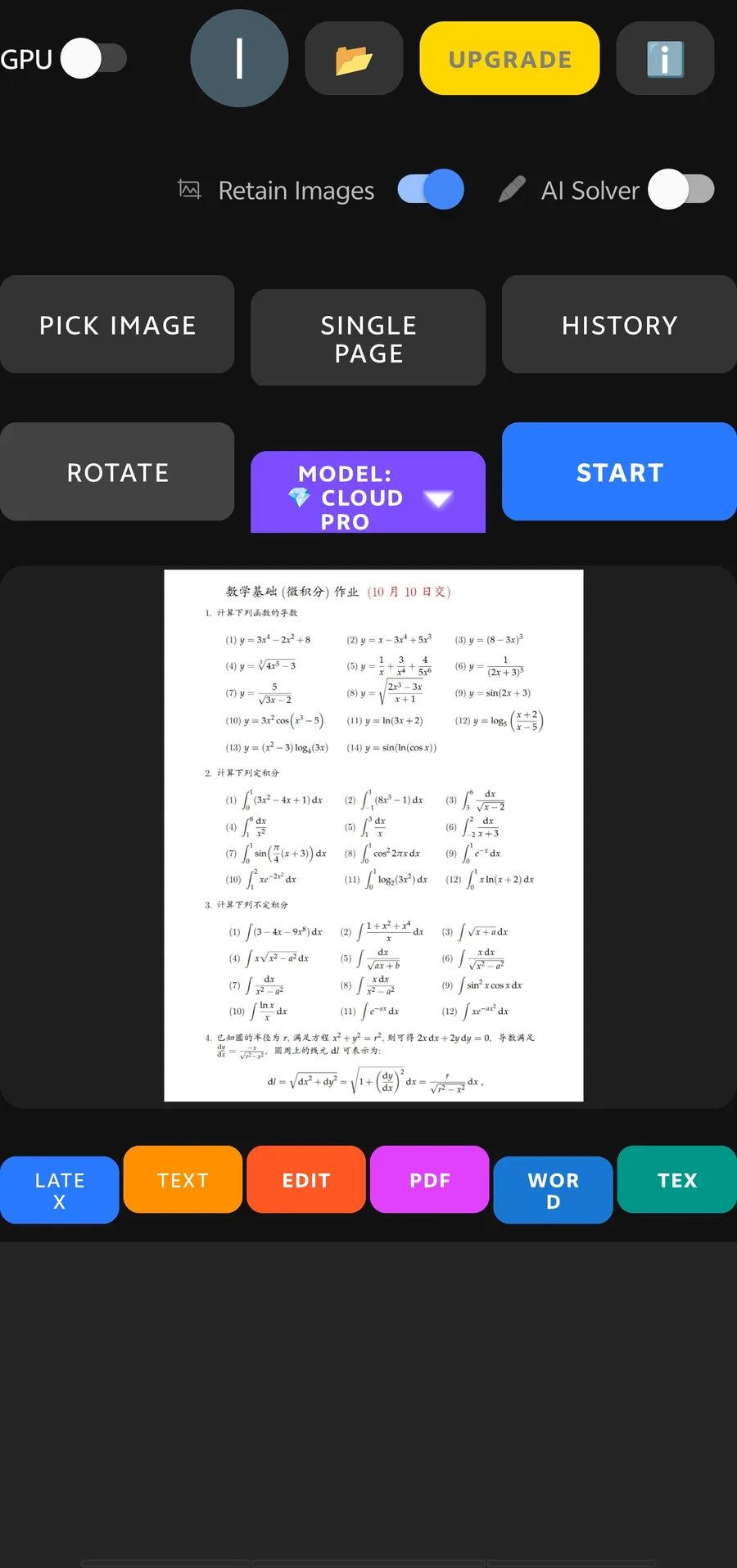
This page shows a real Android workflow from AI Offline Scanner: scan a formula-heavy worksheet, preview the recognized result, then generate Word, PDF, TeX, and LaTeX files from the same OCR task.
Most OCR pages say they can extract text. A math worksheet needs more than plain text extraction: it needs formula recognition, page preview, and useful export formats. This is the workflow teachers, students, and researchers usually search for when they type phrases like "math worksheet OCR to Word", "image to TeX", or "scan equations to PDF".
Reuse old worksheets, quizzes, and formula-heavy handouts without rebuilding every equation from scratch.
Turn printed math notes or homework sheets into editable study material that can be saved and searched.
Move technical pages into document formats that are easier to annotate, quote, or convert into another workflow.
The best results come from treating OCR as a short review workflow, not a one-click magic trick. Capture, recognize, preview, then export for the format you actually need.
Use a flat page, good lighting, and a camera angle parallel to the paper. This matters most for small fractions, radicals, superscripts, and dense worksheet layouts.
Start with local-first OCR for private documents. Use cloud assist only when the worksheet has very dense formulas or difficult layout.
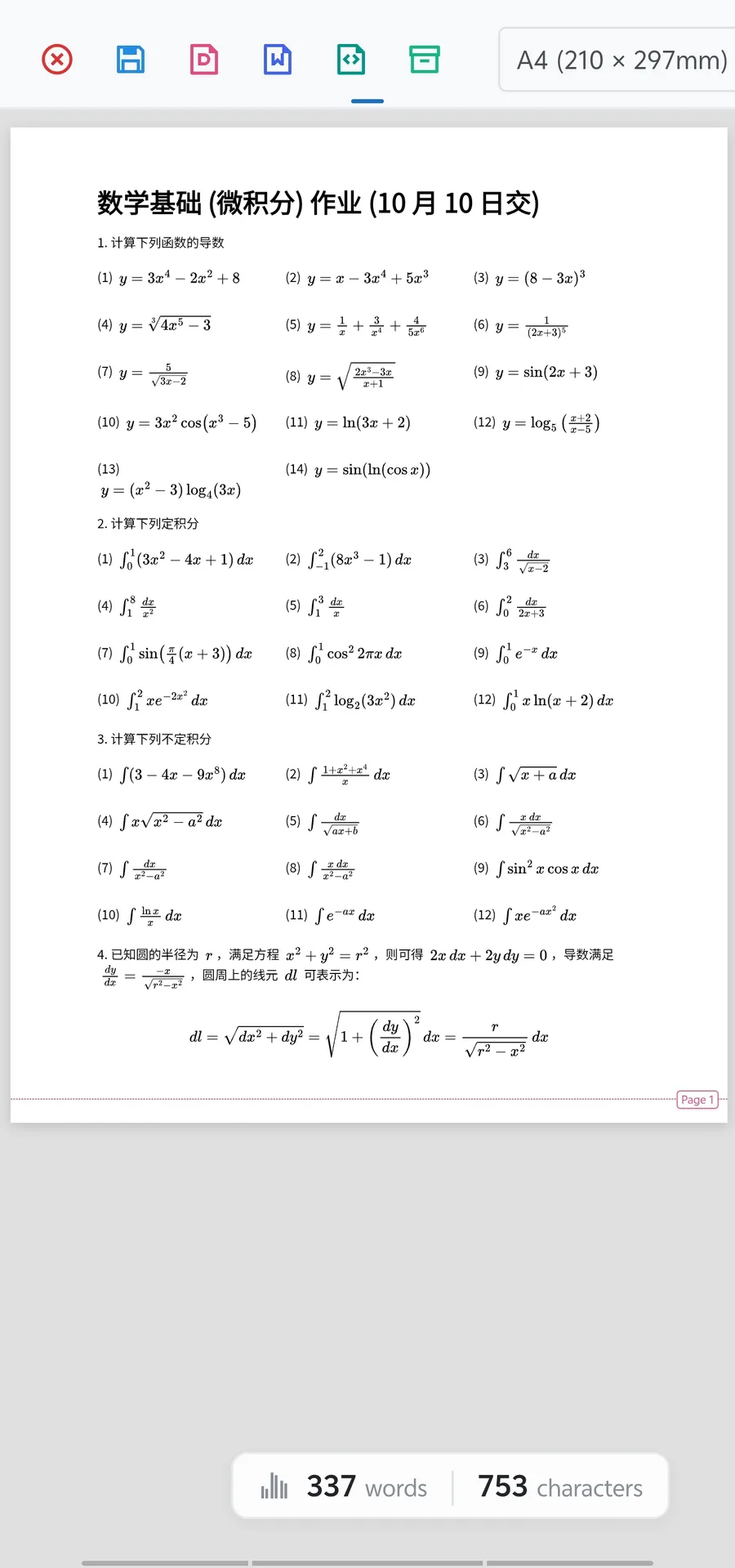
Look at the recognized page, word count, and character count. A quick review catches missed symbols before you create the final file.
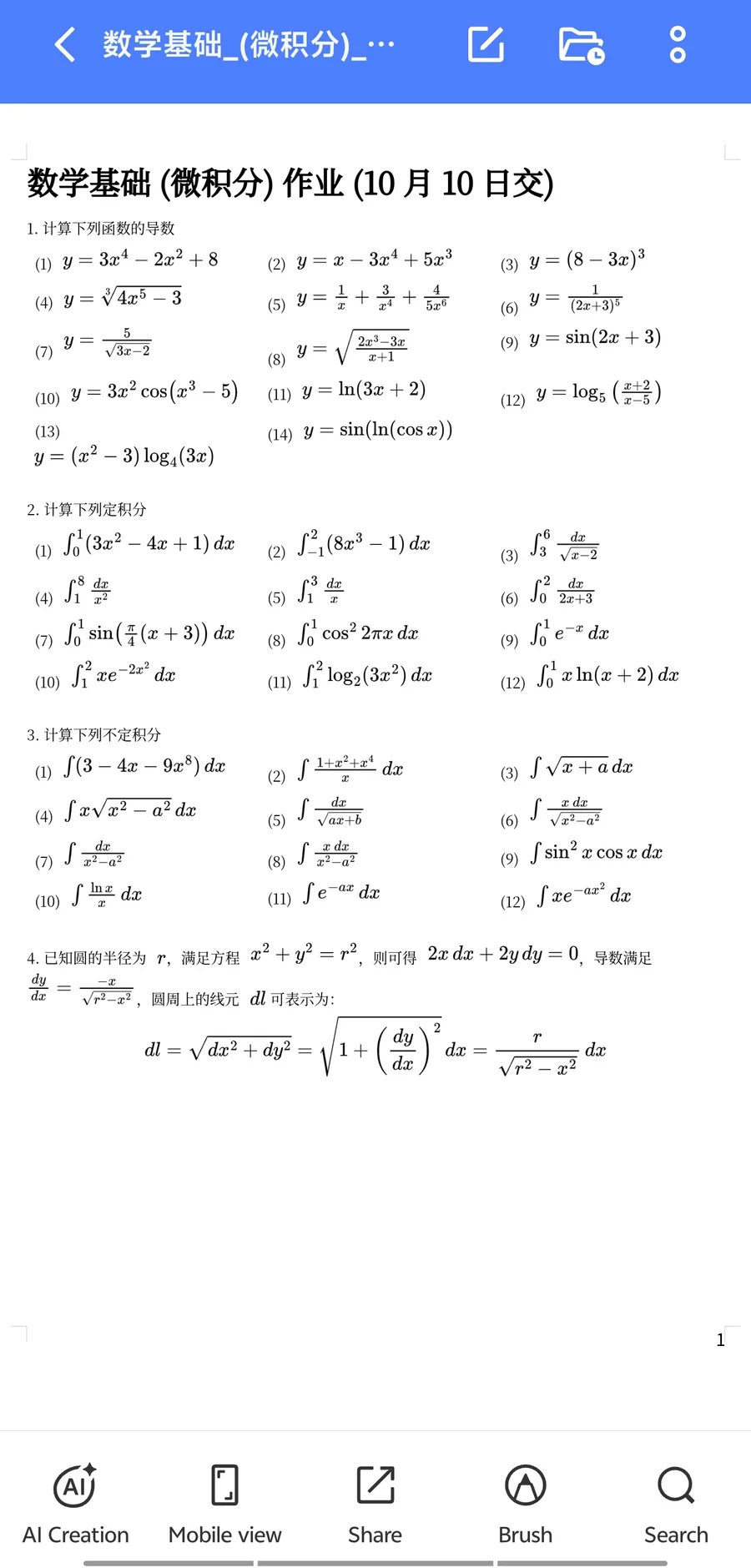
Choose Word when you need editing, PDF when you need a clean shareable copy, and TeX or LaTeX when you need formula source.
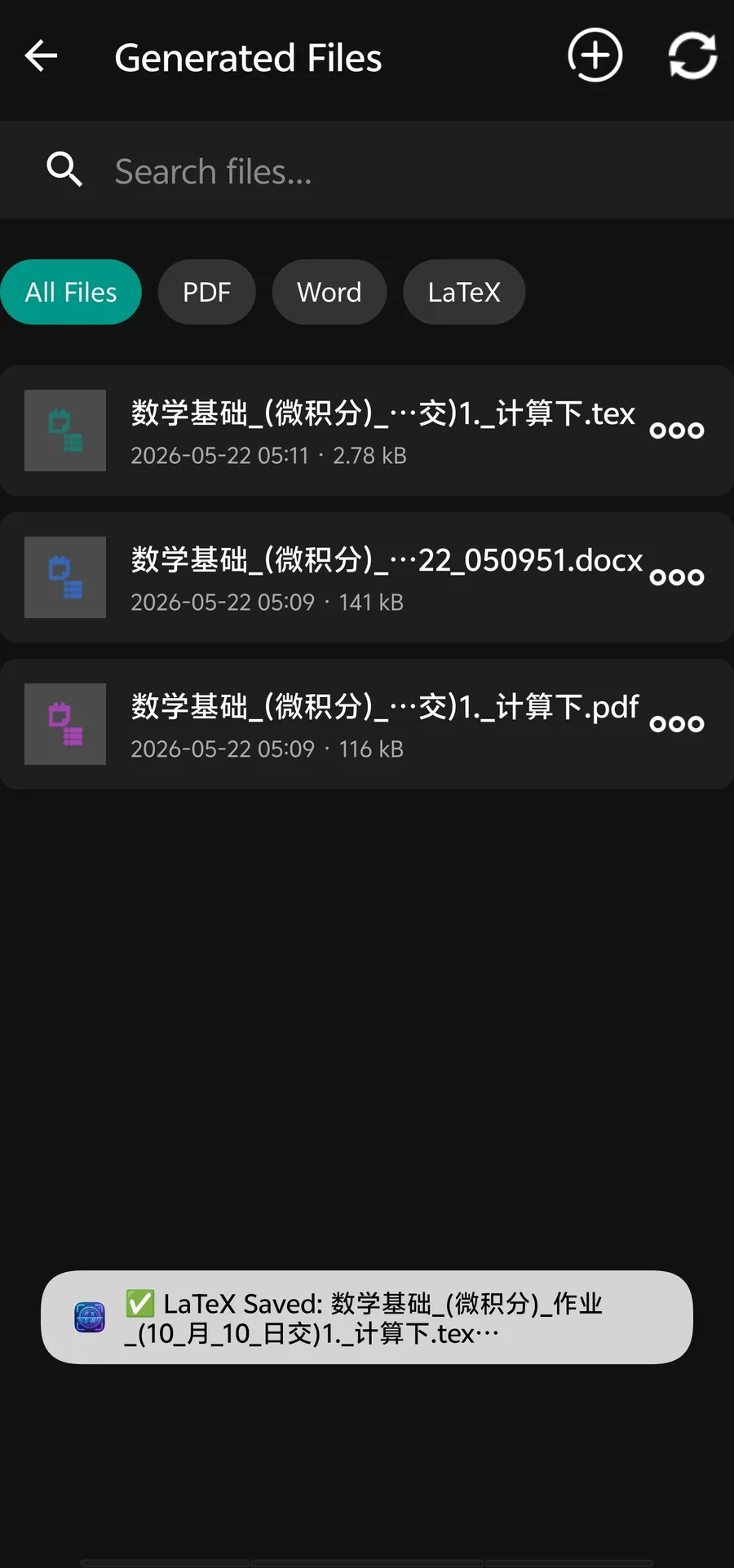
These are direct product screenshots, so the page gives Google and visitors concrete evidence of the export workflow instead of only generic marketing copy.
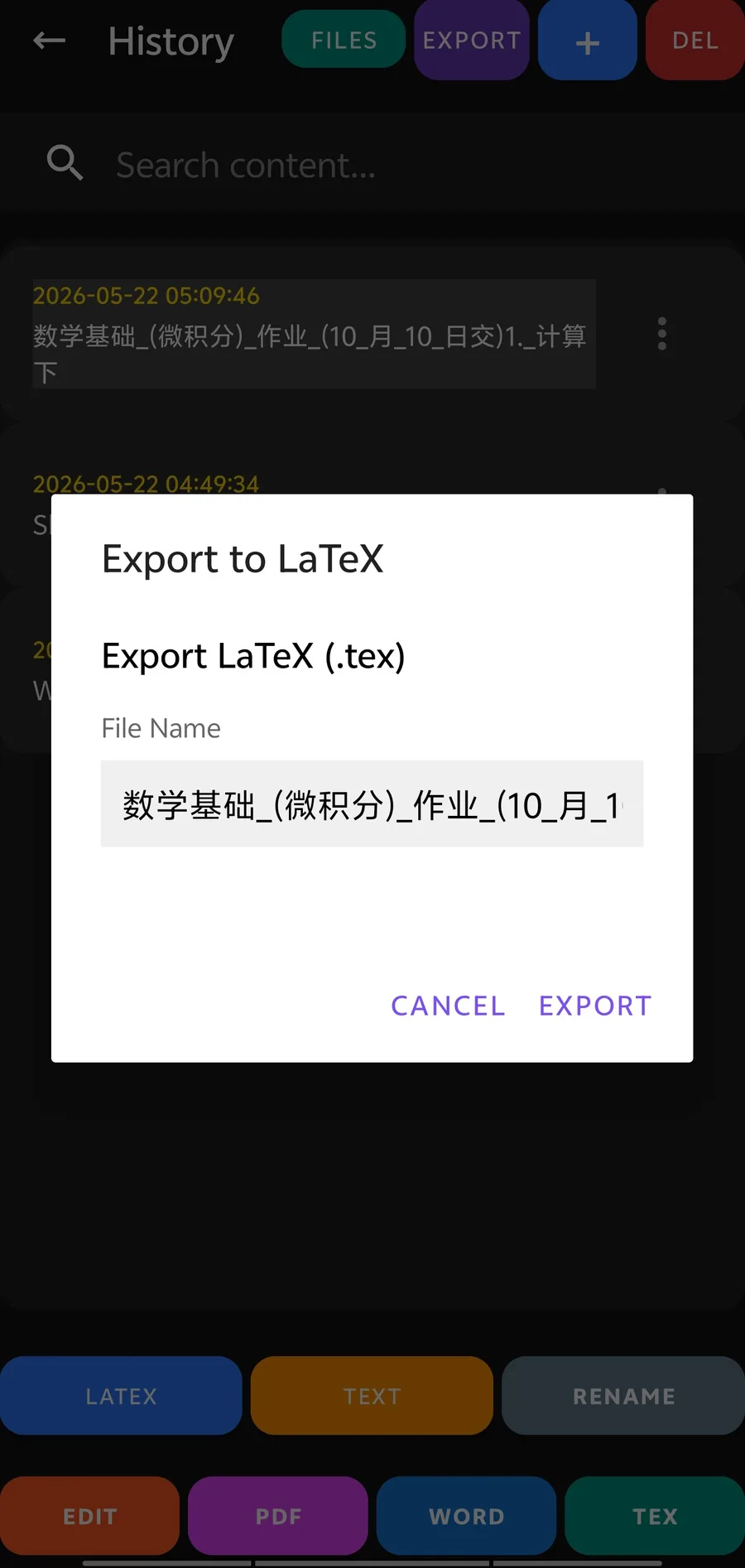
OCR is only useful when the output lands in the right place. AI Offline Scanner supports different export paths because a teacher preparing a Word handout and a student collecting TeX source do not need the same final file.
Best for teachers, students, and researchers who want to edit the worksheet later in Microsoft Word.
Best for sending a polished copy, preserving a printable page, or storing the recognized worksheet as a document.
Best for math-heavy material that needs formula source for LaTeX or Overleaf-style workflows.
Best when the next editor or publishing tool expects LaTeX-style math notation.
Yes. AI Offline Scanner is designed for math OCR workflows and can generate Word-oriented document output from clear worksheet scans.
Yes. The generated files workflow supports multiple output formats, including PDF, Word, TeX, and LaTeX-oriented exports.
No OCR system can guarantee perfect results for every scan. Clear images, good contrast, and a quick manual review are still important for equations and small symbols.
Generic OCR is often built for plain text. This app focuses on technical pages, math worksheets, formula export, and document workflows after recognition.
Use the Android app for the full math worksheet OCR workflow. The web demo is useful for quick tests, but the app is the main product for files, exports, and repeated scanning.